Make labour your biggest lever.
Our Assistants build compliant schedules from your sales forecast, right first time. Take control of labour from hire to pay, in one connected platform.
See your margins come back
- COL savings with Scheduling Assistant
- 5-11%
- Total productivity increase up to
- ~5%
- Average schedule creation time
- 5 secs















What's included in Nory’s Workforce Management
Meet the Scheduling Assistant
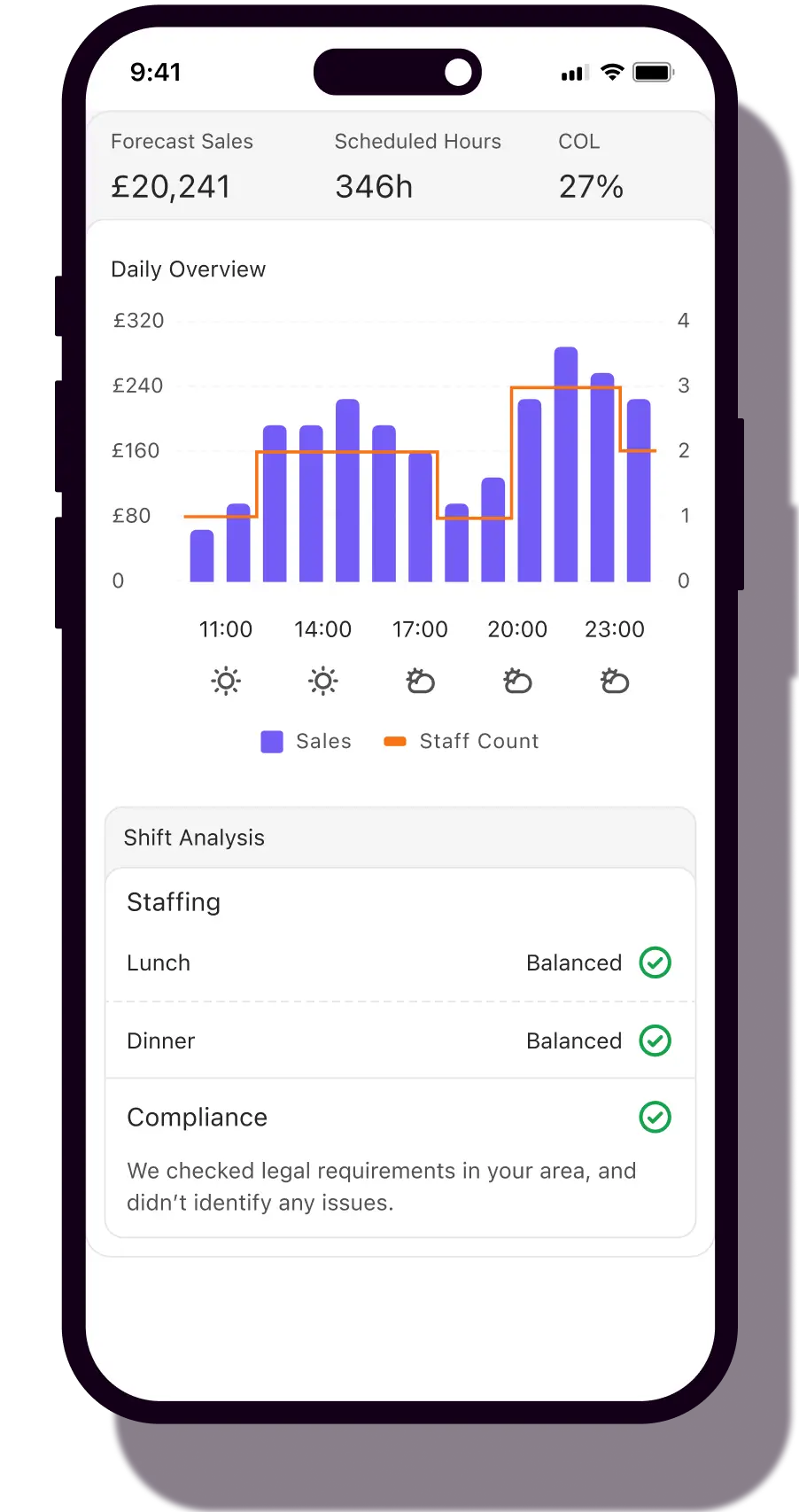
Builds your schedule from the sales forecast, your labour targets and team availability. GMs review and adjust, they don't build from scratch. The intensity setting lets your ops team control how lean the model runs per site.
Learn more

Compliance Assistant joining the crew
The right rules for every location, applied automatically. Overtime, breaks, minimum wage - all based on where each site operates. You stay in control. Your team stays protected.
Learn more

Labour cost, live across every site
Planned vs actual cost of labour, updated as employees clock in and out. Group view, site view, on your phone. See labour drift before the week ends, not after the accountant calls.

Holiday and absence, sorted
Time-off requests and overlap, visible before you approve, so one yes doesn't leave you short for Saturday.

One app for the team
One place for shifts, swaps, time off, feedback — and a messenger that keeps work comms off WhatsApp. Onboarding to the first shift in under two minutes.

From time card to payslip, connected
Time cards approved on the floor. Tips calculated from POS data and your distribution rules. Approved hours export clean to payroll.
Learn more

%201_converted.avif)
.webp)



Frequently asked questions
What is restaurant workforce management software?
Restaurant workforce management software covers how you find, schedule, manage and pay the people running your restaurant: onboarding, scheduling, time cards, holidays and absence, team communication, and the handoff to payroll. The best of it connects to your sales data so the schedule matches actual demand, and shows you labour cost as it happens rather than weeks after the month closes. Some operators search for this as restaurant staff management software — it’s the same category.
How does the Scheduling Assistant build the schedule?
The Scheduling Assistant uses your sales forecast, your configured labour targets and your team's availability to recommend how many people you need, when, and for which positions. GMs review and adjust, they don't build from scratch. The intensity setting lets your ops team control how lean or generous the model runs per site, so each location can be set to its own labour strategy without re-training every GM.
Can Nory help me cut my restaurant's labour cost?
Yes. Most Nory customers see labour cost reduce by 10-25% in the first weeks, depending on starting point and how disciplined the team is on the schedule. Passyunk Avenue cut labour cost by 26% across locations. Josie's cut it by 23% in four months. Barge East by 10%. The pattern: set labour targets per site, let the Scheduling Assistant build to them, and watch the planned vs actual gap close week by week.
How is Nory different from 7shifts, Deputy or Planday?
7shifts, Deputy and Planday are scheduling-first tools. They digitise the schedule and let you report on labour cost after the fact. Nory's scheduling is driven by demand forecast, so the schedule matches what you'll actually sell. Labour cost is live, not lagging. Standalone workforce tools only see one side of prime cost. Nory sees both (labour and food) in one system.
Does Nory include HR tools and employee self-service?
Yes. Employees onboard via the team app (digital documents, contracts, personal information), see their shifts and holiday balance, request time off, swap shifts, and receive feedback. Managers approve time cards, manage absence and shift changes from their phone. A separate AI HR Assistant (currently in beta) can answer employee questions from your uploaded policies.
How does Nory help with compliance and labour laws?
Nory tracks the rules you configure: overtime premiums, break rules, working time regulations, holiday accruals. When a schedule breaks one of those rules, Nory flags it before publish. To be clear: you set the rules, Nory enforces them. Nory does not independently verify that your configured rules meet your jurisdiction's law. That's the operator's call (or your legal team's), with our settings as the enforcement layer. Automated compliance verification is on the roadmap for later in 2026.
How long does it take to set up Nory's workforce management?
The bulk of the setup is in your labour configuration: positions, pay rates, overtime rules, break rules, holiday accrual methods, labour targets per site. Once that's done, scheduling, time cards, absence and tips all run on it. Day-to-day work (schedule build, clock-in, approving time cards, requesting time off) is designed to be mobile-first and fast.