Restaurant automation: What to automate first for the best results

It’s Monday morning, and there are some issues on your plate (pun intended). The invoices don’t match the delivery notes, someone’s dropped a shift, the stock kind needs doing (again), and payroll has paid a new starter the wrong amount.
For a general manager running more than one site, these jobs can eat up hours before the week even begins.
And the frustrating part? Most of these issues will happen again the following week.
The good news is that automation can relieve these issues and take work off your plate.
By the end of this article, you’ll know which areas to automate to speed up your workflow. You’ll also learn what you can automate now, what still needs a human touch, and five things that make the difference between automation that sticks and software that gets abandoned after a few months.
What restaurant automation means in 2026
In 2026, restaurant automation handles recurring operational work that your team would otherwise do manually. That can mean forecasting demand, building rotas, reordering stock, matching supplier invoices, onboarding new starters, or preparing payroll.
It’s easy to picture automation as robots, kiosks, or automated fryers. And yes, those things exist, but they’re only one small part of what restaurant operators can automate.
The bigger opportunity is in the work that comes back around every day, week, or month. A tablet taking an order might save a few minutes, but automating the admin behind multiple sites can save hours every week.
Labour costs and cost of goods sold (COGS) make up two of the biggest expenses in a restaurant, and both rely on a lot of back-office work to manage property. Automate that work, and your team gets more time to focus on running the restaurant.
Recommended reading: What you need to know about AI for restaurants in 2026.
Which restaurant jobs to automate first: The ones that repeat every week
Start with the jobs your team does over and over again, especially when they follow clear rules. Invoice matching, for example, ticks all three boxes, but handling customer complaints doesn’t.
Side note: Invoice matching is the process of comparing an invoice against a purchase order and goods received note to check that the items, quantities, and prices match.
Here are some other examples:
This approach gives you a simple way to decide where automation can actually earn its keep. Look for work that happens on a set cycle, follows a process someone could explain step-by-step, and takes time or money when someone gets it wrong.
Stock can deliver one of the quickest visible wins. CUPP, for example, reduced waste by 60% with Nory by ordering against forecasted demand rather than habit.
What not to automate first: The guest-facing layer. Kiosks and booking flows are useful, but the real opportunity to save time and money sits in the work happening behind the scenes.
Why a restaurant automation system only works with accurate data
Restaurant automation tools only work when the numbers behind it are reliable. Give a system bad data, and it won’t spot the mistake. Instead, it’ll repeat it (and at a much bigger scale).
If your stock count comes from someone eyeballing the walk-in, an automated ordering system will use that count to place the next order. If your rota relies on last year’s sales instead of this week’s expected covers, it can schedule staff inefficiently, which can impact employee morale and the guest experience.
Recommended reading: 5 ways to use restaurant software to increase profit and cut costs.
So what’s the solution?
Making sure your automated restaurant management system has accurate, reliable, and current data. Your EPOS, rota, stock counts, and supplier invoices should all tell the same story about the same trading day, including:
- What you sold
- Who worked the shift
- How much stock you used
- What you paid for
This data gives the automation something useful to work with, meaning it can make decisions based on what’s actually happening in the business, rather than assumptions.
Digbeth Dining Club, for example, uses Nory to build labour schedules around real-time trading data. The system now creates automated labour schedules based on forecast demand, helping the team keep labour costs within 0.38% of its plan.
You can’t get that level of control from an outdated spreadsheet.
How can I automate onboarding for restaurant employees?
Restaurant onboarding works well with automation because every new starter needs to go through roughly the same process. Collect the right documents, set up payroll, assign training, and check everything’s ready before their first shift.
Run the automation process in this order:
- Collect documents digitally. Send the new starter a digital onboarding form as soon as you add them to the system. Set automatic reminders for anything they haven't completed, and give managers a live view of what’s still missing.
- Send approved details to payroll. Once a new starter completes onboarding, pass their details into the payroll system automatically. Build checks for missing bank, tax, or personal details into the process so someone can fix them before payday.
- Assign training by role. Set a restaurant staff training automation to trigger based on the person’s role, site, or responsibilities. A kitchen porter gets the relevant food safety modules, while a supervisor gets the additional training they need, without a manager having to assign everything manually.
- Flag anything that’s incomplete. Give managers one view of each starter’s progress and flag missing paperwork or training before their first shift. For multi-site operators, this process is much easier than checking separate folders or spreadsheets for every site.
What automation can’t handle in shift one: Someone still needs to show a new starter around, explain how the section works, and support them through their first service.
Recommended reading: 5 of the best restaurant employee onboarding software for multi-site groups.
How to automate front-of-house tasks without automating the guest experience
The best front-of-house automation takes care of the admin around service, not the guest experience itself. Shift handovers, opening and closing checks, compliance logs, and review triage are a few examples.
The team still runs the service, but the system handles the repetitive work around it.
Here’s where to start:
- Capture shift handovers digitally. Give managers a shared handover log where they can record issues, follow-ups, and anything the next shift needs to know. The next manager sees the same information without relying on a conversation, WhatsApp message, or scrap of paper.
- Schedule opening and closing checks. Turn recurring checks into digital checklists that appear at the right time, then flag anything incomplete. Managers can see which sites have finished their checks without calling around or chasing individual teams.
- Record compliance checks automatically. Connect temperature logs and other routine checks to the relevant system, with alerts when a reading falls outside the required range. That gives managers a record to act on rather than another form to fill in and file.
- Route reviews to the right person. Set rules that pick out complaints or recurring issues from customer reviews and send them to the manager who can deal with them. As a result, teams can focus on the reviews that need a response instead of reading every rating manually.
Side note: Equipment monitoring is a different category. Automated fryer oil monitoring, fridge temperature sensors, and other similar tools can work well, but they require hardware and have a different payback.
How to automate stock ordering, reorder points, and par levels
Automating stock ordering works best when par levels respond to forecasted demand rather than against last week's usage. Once the system knows what each site expects to sell, it can work out what you need, when you need it, and how much to order.
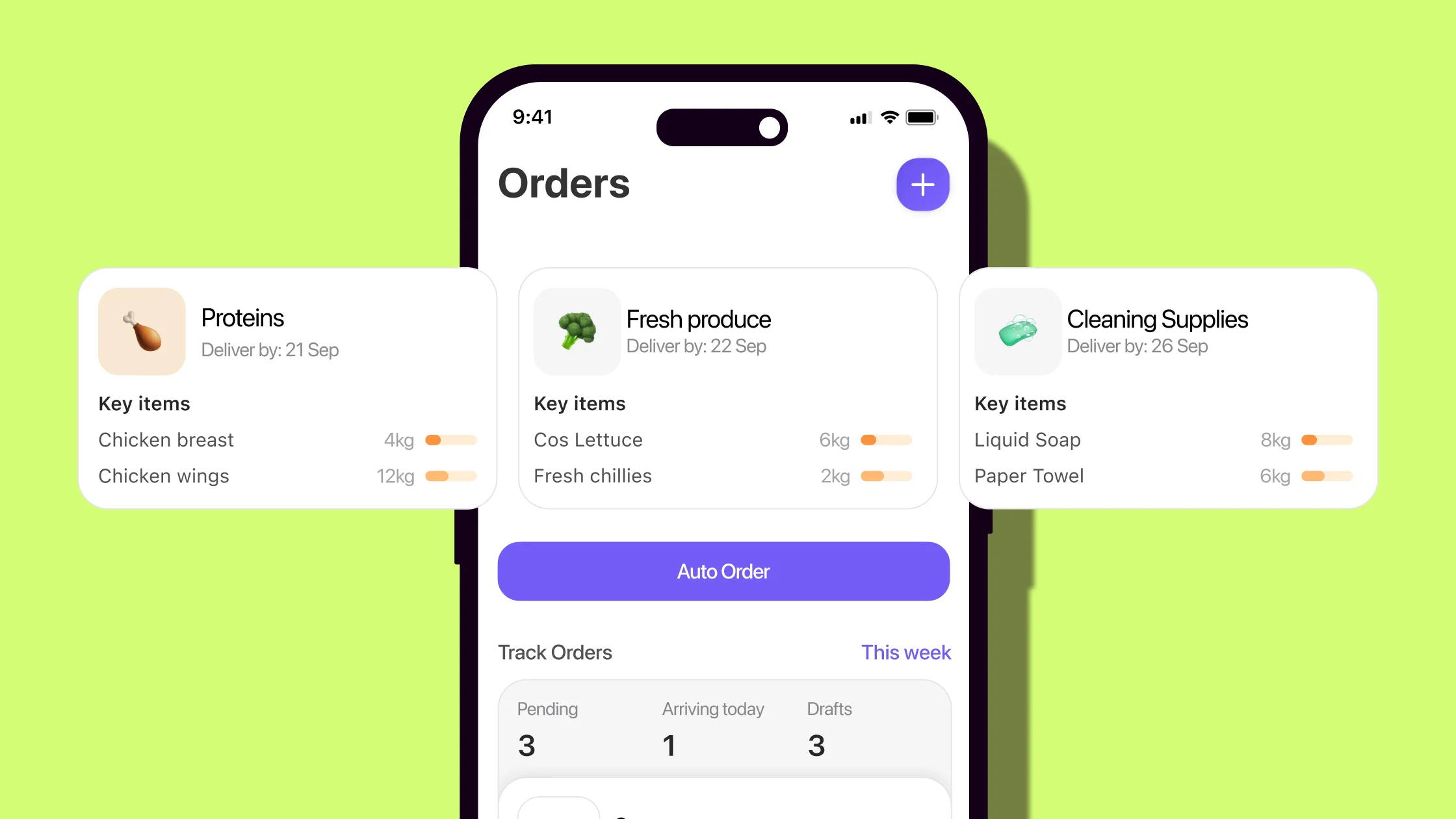
Here’s how that process works:
- Set par levels by item and site. Give the system a starting point for how much stock each location needs, rather than relying on one number across the whole group.
- Connect par levels to forecasted demand. Instead of treating the par as a fixed number, let expected covers, trading patterns, weather, and events influence how much stock each site needs.
- Compare what you have with what you need. The system checks current stock against the forecast and calculates the gap, so managers don’t have to work it out item by item.
- Create the purchase order. When the system knows how much you need, it can draft the order for approval, giving the purchasing team something to check rather than build from scratch.
The financial impact shows up in gross profit. Order too much, and you’re overspending on ingredients you don’t need. Order too little, and you’re paying for emergency top-ups when you have less time to shop around.
That’s the basic idea behind demand-based ordering. Use the forecast to work out your par levels rather than treating last week’s usage as a permanent rule.
How to automate scheduling and staff management workflows
A good rota starts with expected demand and checks compliance rules and regulations before publishing. In doing so, managers can fix any problems when building the rota rather than discovering them at payroll when teams have already worked the shift.
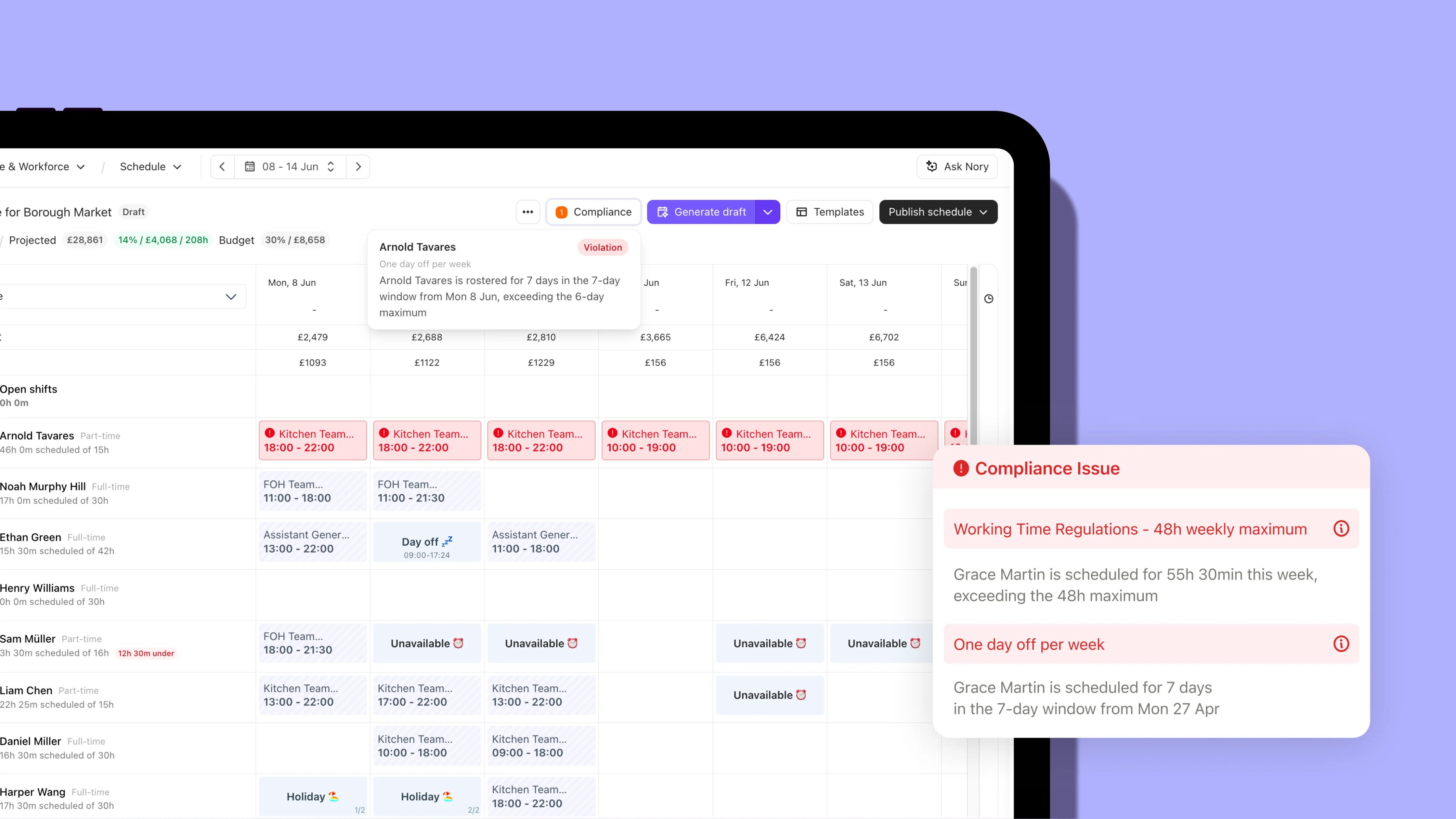
Here’s what the workflow looks like:
- Start with expected covers. Use the demand forecast to show how many people each site needs by day and daypart. This forecast gives your rota a clear starting point instead of relying on last week’s staffing levels.
- Build the rota against demand. Use the forecast to match staffing levels to expected trade, while working within the necessary labour budget and the employment rules.
- Check compliance before publishing. Flag issues such as missed breaks, insufficient rest, or other scheduling rules before the rota reaches the team. Managers can fix them while they still have options.
- Keep changes in the same plan. When someone requests holiday or swaps a shift, update the rota rather than tracking the change in a separate spreadsheet or message thread. That way, everyone works from the same version.
The cost of getting scheduling wrong can cause a huge hit to your bottom line. Why? Because labour is one of the highest costs for hospitality operators. A few unnecessary hours here and there across multiple sites can turn into a huge labour overspend.
Recommended reading: Find out more about demand-based scheduling, including how to build a rota around forecasted demand.
How restaurants automate payroll as easily as possible
The easiest way to automate payroll is to build the pay run from the shifts and timecards your team already records. You don’t necessarily need to replace your payroll provider. You need to reduce the manual work that happens before the pay run.
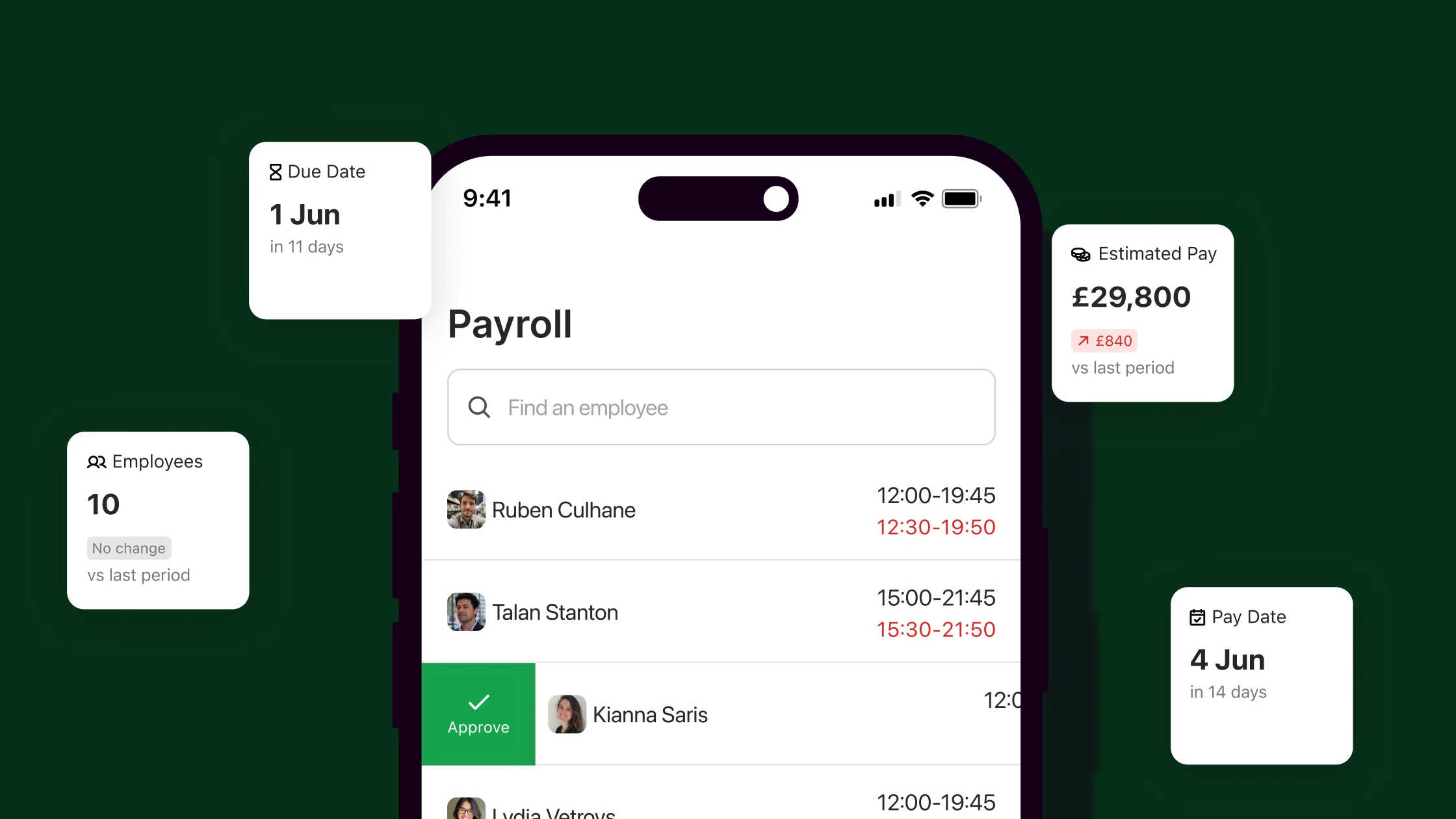
Here’s where to start:
- Connect shifts and timecards to payroll. Pull hours directly from the systems where managers already record them, rather than exporting and re-keying them manually.
- Check for anomalies before payday. Flag missing clock-ins, unusual hours, overtime, or other discrepancies while there’s still time to fix them.
- Keep changes in one place. Make sure holiday, sick leave, shift changes, and approved adjustments feed into the same payroll process, rather than getting tracked across spreadsheets, emails, and messages.
- Leave payroll teams to check exceptions. Once the data is pulled together and the obvious errors are flagged, payroll should spend its time reviewing anything unusual rather than rebuilding the entire pay run.
Nory is an ideal solution for automating payroll. Our agentic AI software brings shifts and timecards together so the payroll process starts with the hours that have already been recorded, rather than another round of manual data entry.
Take a look at Roasting Plant Coffee to see for yourself! Using Nory, the multi-site coffee shop cut its payroll process from two days to one hour.
The team could build the pay run from existing shift and timecard data, leaving payroll to check the exceptions rather than assemble everything from scratch.
Nory's Payroll almost pays for itself. It’s accurate, future-proof, and backed by brilliant support.
Kallie Kocourek, Vice President of the UK Market, Roasting Plant Coffee
How restaurant automation works across multiple sites
Automation becomes more valuable as you add sites because it lets you run the same processes without multiplying the admin.
A second site means another rota, more stock counts, additional invoices, and different managers doing the same jobs. By the time you reach 10 or 100 sites, doing all of that manually becomes a significant operational burden.
The key is giving every site the same underlying process and bringing the data into one place.

Managers can still run their restaurants differently where it makes sense, but core information (such as sales, labour, stock, and prime cost) follows the same structure across the group.
That also makes problems easier to spot. If one site suddenly has higher labour costs or unusual stock usage, you can compare it with the rest of the group without asking managers to rebuild reports or send over spreadsheets.
Nory in action: Black Sheep Coffee grew from 73 to more than 130 sites while consolidating forecasting, labour scheduling, and inventory management in Nory. The business now reports 98% forecast accuracy and labour cost variance of less than 1% of sales, with demand forecasts running in 15-minute intervals across its sites.
Where a human touch is more important than restaurant automation
Good automation should give managers better information and take repetitive admin off their plate without removing them from decisions that affect guests, staff, or spending. Automate the repeatable work, but leave decisions that need judgement, context, or accountability to people.
There are three areas where that boundary matters most:
- Individual guests and staff need human judgement. A system can flag that a review mentions a 40-minute wait and link it to the rota from that Saturday. It can’t decide how to handle an upset regular or whether a struggling supervisor needs more training, a different section, or a conversation with their manager.
- Disconnected systems limit what you can automate. If your EPOS, stock tool, and payroll provider don’t share data, automation can only go so far. You’ll still need someone to move information between systems, which brings the manual work back into the process.
- Fix broken processes before you automate them. If stock counts are unreliable because nobody has time to complete them properly, automating the ordering process won’t solve the problem. It’ll simply use bad information to place orders faster. Fix the count first, then automate the order.
You also need to be clear about who owns each automated process.
Every job should have a named owner who knows what the system does, what they need to check, and when they need to step in. Otherwise, when Thursday’s stock order looks wrong, nobody knows whose problem it is.
That’s one reason Nory separates its work across different Assistants, including:
Each Assistant has a defined job, and the output from one feeds into the next.
However, the final step still belongs to a person:
- A purchase order arrives ready to review against the forecast, but a manager approves it
- A rota is made with potential compliance issues flagged, but a manager decides what to change
- A pay run is already built, but payroll checks the exceptions
That approval step creates accountability. Someone should always be able to explain why an automated decision was made, what they checked, and who approved it.
Where Nory fits into restaurant automation, and why you should use it
Nory uses agentic AI to move restaurant operations forward without taking people out of the process.
Our AI Assistants monitor what’s happening, make decisions within their remit, and take action across key areas of restaurant operations. People still set the rules and step in when a decision needs human judgement.
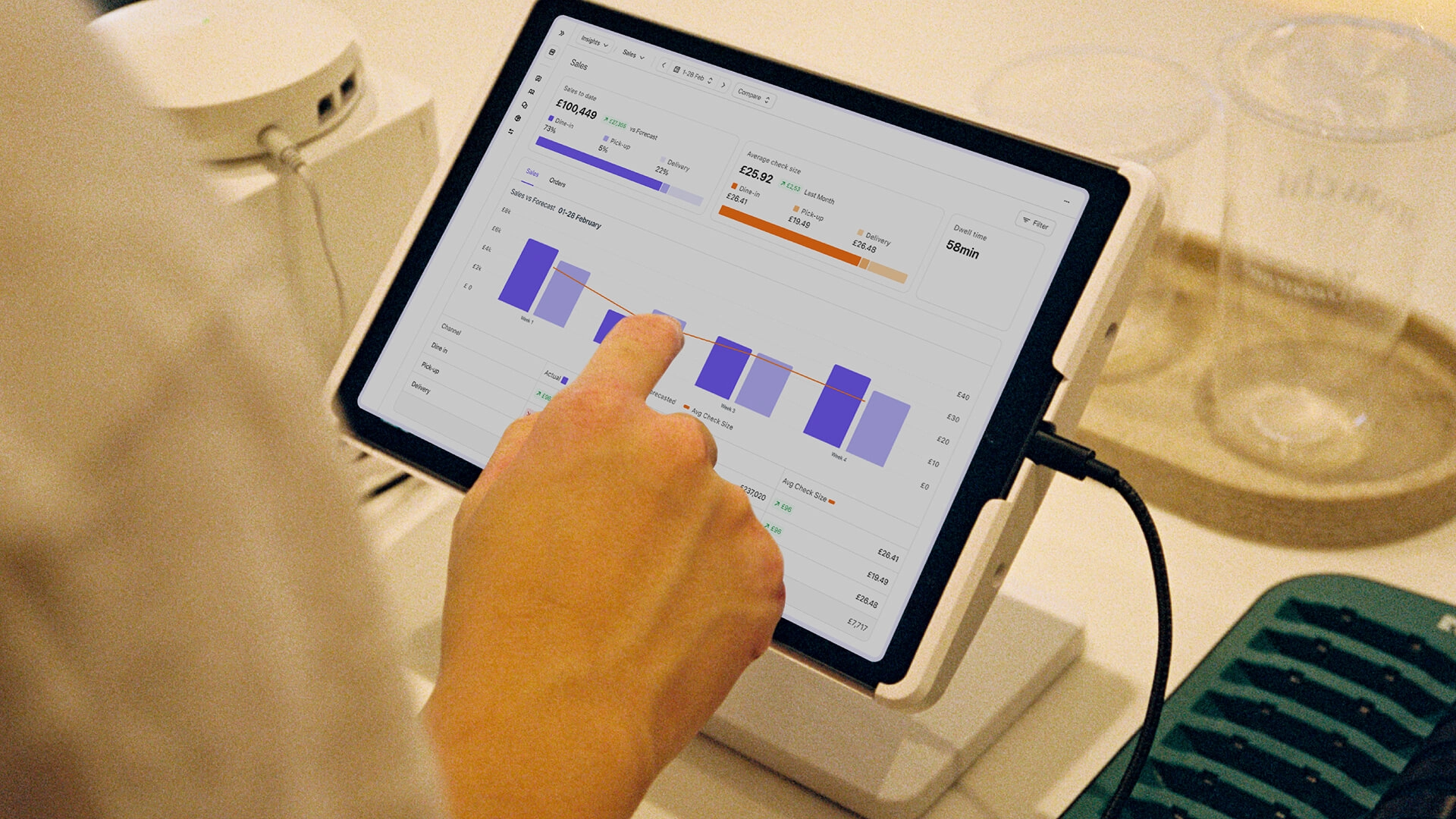
That’s what makes Nory different from software that simply reports what happened.
If demand changes, the Forecasting Assistant updates the forecast. That information feeds into the Scheduling Assistant, which adjusts staffing against the new demand, and so on through the other steps.
Instead of giving a manager three reports and leaving them to work out what to do next, the system does it for you.
But the human role doesn’t disappear. Managers still approve orders, review rota changes, check payroll exceptions, and deal with the situations a system can’t understand in context. The aim is to give managers fewer repetitive decisions to make and better information when they do need to make one.
Pizzarova shows what that looks like in practice.
With Nory, managers can see sales, labour, and inventory costs in real time, helping them spot issues and act faster rather than waiting for the numbers to catch up. The business has improved labour efficiency by around 10% and now has full visibility of stock variance across its sites.
The big difference is transparency. Managers can see their costs in real time. Bonuses are measured against those numbers, so the more visibility they have, the better their sites perform.
Jack Lander, Pizzarova's Co-Founder
Want to find out more? Get in touch with the team to see how we can help you automate operations, save time, and boost profits.
FAQs about restaurant automation
What's the difference between AI and regular automation in restaurants?
Regular automation follows rules you set, while AI automation can make decisions based on changing data. For example, regular automation might place an order when stock falls below a fixed level. Restaurant order automation AI can adjust that level based on forecast demand, trading patterns, and what the site expects to sell next week.
What is restaurant menu automation?
Restaurant menu automation uses software to manage repetitive menu tasks, such as updating prices, calculating item margins, and keeping menu information consistent across sites.
For multi-site operators, it can also flag when supplier price changes affect dish costs, so teams can review margins without checking every menu manually.
Which enterprise tools automate restaurant staff onboarding workflows?
The best enterprise onboarding tools connect recruitment, employee records, payroll, and training in one workflow. They can collect documents, issue contracts, assign role-specific training, and flag anything still outstanding across multiple sites. Managers get one view of each starter’s progress without having to chase information across spreadsheets and emails.
How do mid-sized restaurants automate inventory minimums and reorders?
Set stock levels against forecast demand, then let the system work out what each site needs to order. It can draft the purchase order for a manager to review and approve, rather than making them calculate quantities from scratch. Start with reliable stock counts, though. Automated ordering can’t fix inaccurate inventory data.
Which restaurant customer retention platforms are easiest to automate across locations?
The easiest retention setup starts with one customer record across every location. If the same guest appears as three different customers because they visit three sites, automated campaigns can send duplicate or irrelevant messages. Get the customer data connected first, then automate the marketing around it.
What is automated restaurant buying software?
Automated restaurant buying software uses your sales, stock, and forecast data to work out what each site needs to order. Instead of relying on fixed par levels or a manager’s best guess, the system calculates required quantities, creates a purchase order, and flags it for approval before it goes to the supplier.
What’s the best way to use automated onboarding platforms for multi-unit restaurants?
Use one onboarding workflow across every site, with role-specific steps built into it. New starters can complete their documents, contracts, payroll details, and training in the same system. Managers get one view of who’s ready to work and what’s still outstanding across the group.
Which restaurant management tools automate scheduling and staff management workflows
Look for tools that connect demand forecasting, scheduling, timekeeping, and compliance. The system should use expected demand to build staffing requirements, flag potential compliance issues, and update the plan when shifts or availability change.
How do restaurants automate payroll without switching systems?
Connect the hours your team already records to your existing payroll provider. Doing so removes the manual work of exporting shifts, checking hours, chasing managers, and re-keying information.
What platform helps mid-market restaurants automate reorder points and par level management?
Choose a platform that links inventory levels to forecast demand rather than relying on fixed par levels. It should calculate what each site needs based on expected sales, current stock, and delivery schedules, then create a purchase order for a manager to review.
What are the best automated restaurant purchasing systems to improve gross profit in the UK?
The right system should connect purchasing decisions to forecast demand, stock levels, and supplier costs. Connecting this data helps operators order what they’re likely to sell, reduce excess stock and waste, and spot changes in food costs before they affect gross profit.
It also makes sense to look for software that supports multiple sites and integrates with the systems you already use.
Disclosure and methodology
Published by Nory, an agentic AI restaurant operating system for multi-site restaurant groups. We have a commercial interest in operators using automation. Where automation isn’t the right call, we’ve said so. Customer figures come from published Nory success stories.