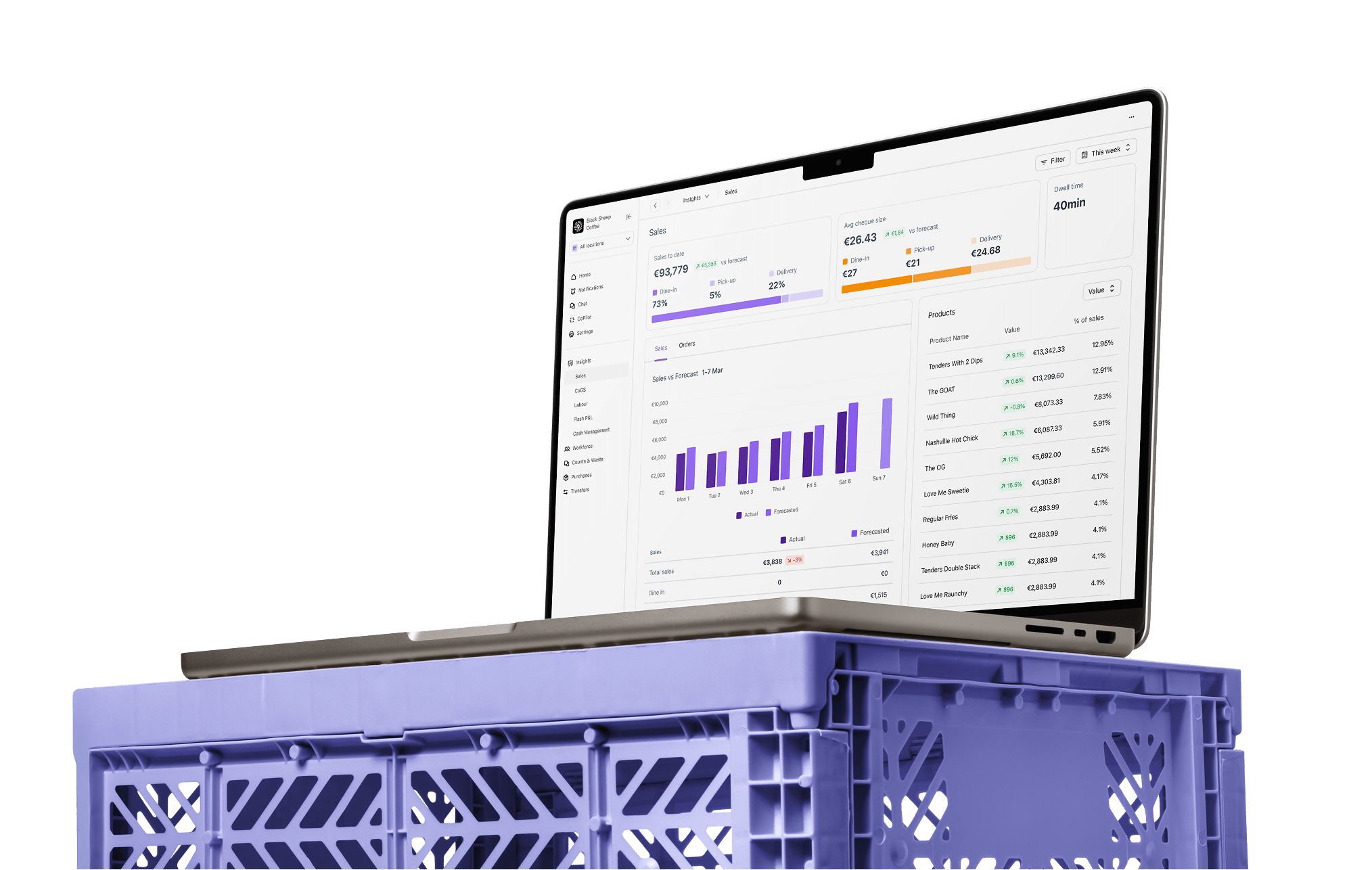
Demand-based scheduling for restaurants: How it saves your profits

Labour is one of the biggest expenses for restaurants, so getting staff rotas wrong can quickly eat into profits.
Yet many operators still rely on the last week's rota, guesswork, or daily averages to decide how many people they need.
Demand-based scheduling gives you a more accurate way to plan labour, scheduling the right people at the right times to reduce costs and boost margins. But how exactly does it work?
In this article, we explain how demand-based scheduling works, how it compares with fixed schedules, and how to build rotas that balance labour costs with service quality.
What is demand-based scheduling?
Demand-based scheduling builds restaurant schedules around forecast demand, matching staffing levels to the sales and covers each location expects, hour by hour.

The hourly detail makes a real difference when it comes to scheduling.
A restaurant might be understaffed at 7pm when service gets busy, but have two people standing around at 4pm during a quieter period. A schedule based on daily averages can miss both problems because it treats the whole day as one block.
Demand-based scheduling looks at each hour instead, so managers can plan staffing around the actual rhythm of service.
Many restaurants already adjust schedules for busy and quiet days. But without an hourly view, they can still pay for too many hours when trade is slow and struggle to cover the rush.
Recommended reading: Restaurant labor costs: The staffing problem is a profit problem, and here’s how AI can fix it.
How demand-based scheduling works, step by step
Demand-based scheduling turns your sales forecast into a rota that matches the people, skills, and hours you need at each site. And on top of this, it builds shifts that work within your team's contracts, availability, and legal requirements.
Here’s how it works in more detail:
1. Forecast demand by hour, at each site
Start with at least 12 months of site-level transaction history to identify trading patterns by daypart and day of the week. Factor in local events, public holidays, weather, and promotions to account for changes in demand.
Recommended reading: Does your restaurant forecast know there’s a football match on? A guide to sporting events restaurant sales.
2. Work out how many people you need
Turn forecast sales and covers into staffing requirements for each daypart. You'll need clear productivity targets for each role, such as covers per server hour, transactions per till hour, and items per kitchen hour.
Without these benchmarks, a sales forecast won't tell managers how many people to schedule.
3. Build shifts around five key constraints
A workable rota needs to account for five key constraints, so managers can match staffing levels to demand without overlooking the practicalities of scheduling.
Let’s take a look at these five constraints:
This step is where scheduling often gets complicated. Why? Because your team's contracted hours can limit how closely you match staffing to demand.
You might have an accurate forecast for Tuesday, but three employees already have 30-hour contracts, your assistant manager works 45 hours, and the available team members don't have the skills you need.
That's around 135 hours committed before you've even built the rota.
You also need to account for when managers publish schedules. If the rota goes out 14 days in advance, you can't assume you'll have the flexibility to change shifts at the last minute.
The challenge is turning all these requirements into a rota that managers can actually use. Restaurant workforce management software takes a lot of the manual work out of that process.
Nory, for example, builds schedules around each site's demand forecast, employee contracts, availability, skills, and compliance rules. As a result, managers can review and publish shifts without building every rota from scratch.
Nory's AI Compliance Assistant adds another layer of oversight, monitoring working patterns against employment rules and flagging potential compliance issues.
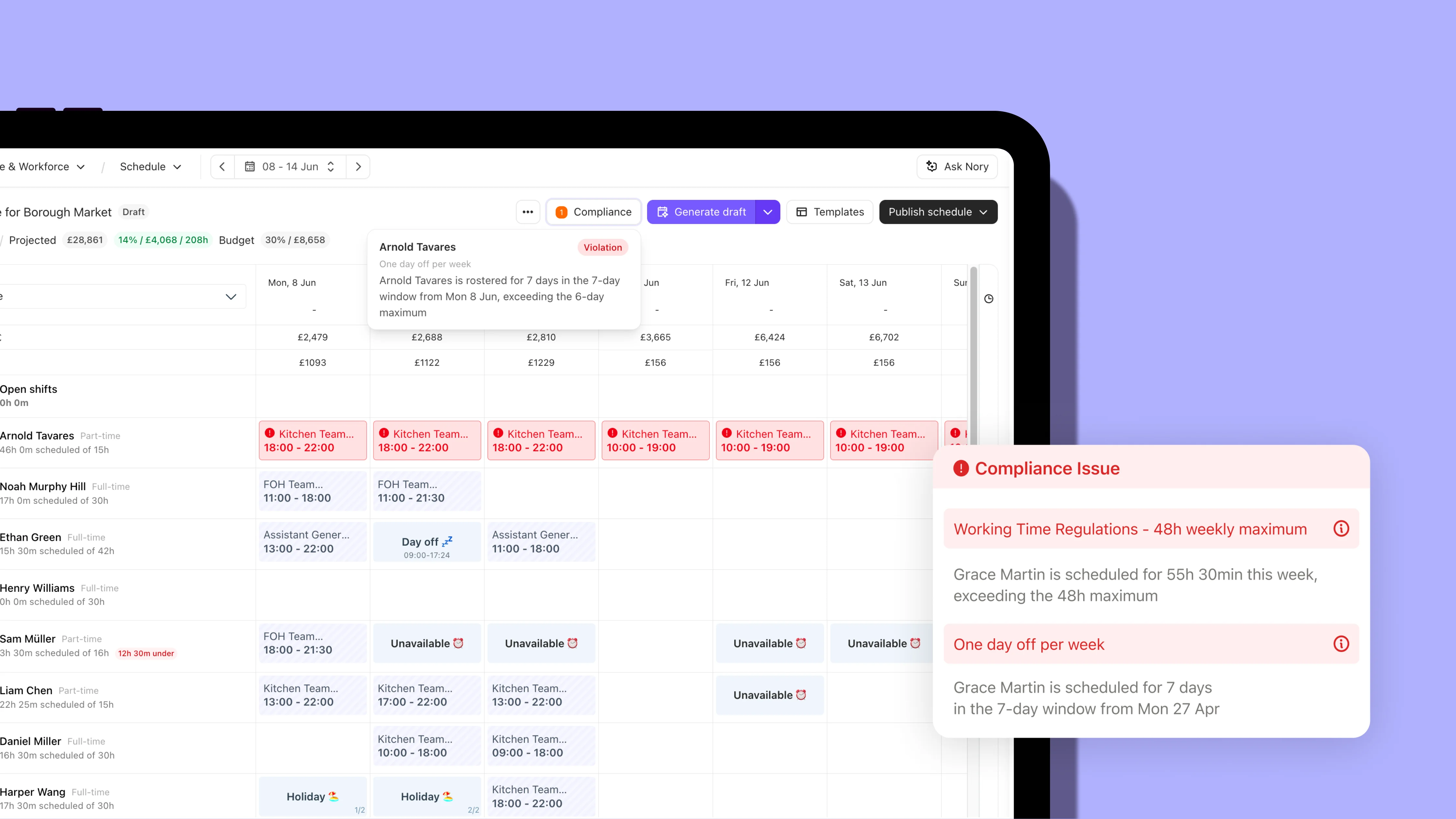
Managers then have more visibility into scheduling risks before they publish the rota, rather than relying on manual checks to catch every issue.
Demand-based scheduling vs fixed rotas: What’s the difference?
Fixed rotas often leave restaurants paying for more staff than they need during quiet periods, then struggling to cover busy services. Demand-based scheduling matches labour hours to expected trading patterns, so managers can put the right number of people on each shift.
The example below shows how the two approaches compare across an 11-hour trading day.
The fixed rota pays for too many people during the quieter afternoon, then leaves the restaurant short when the evening rush arrives. The demand-based rota, on the other hand, cuts unnecessary hours while bringing staffing levels closer to what each service actually needs.
Across a multi-site restaurant group, those daily differences can add up quickly.
Side note: The Autumn Budget 2026 confirmed that the National Living Wage for workers aged 21+ is increasing £13.21 an hour in April 2027. The 18-20 rate will rise to £11.27, while the rates for workers aged 16-17 and apprentices will increase to £8.31.
Demand-based scheduling in practice: A Saturday rota
Let's look at what demand-based scheduling could mean for a typical Saturday. Take a 120-cover neighbourhood restaurant trading from 12pm to 11pm, with a forecast of 365 covers and £12,410 in sales at an average spend of £34 per cover.
For this example, we'll assume one server can handle 12 covers per hour. Round staffing requirements up to the next whole person, with a minimum of one server.
With the demand-based rota, you’re much closer to actual demand:
- Lunch (12pm to 3pm) accounts for 96 covers and requires nine server hours
- The afternoon (3pm to 5pm) brings 23 covers and needs three hours
- Dinner (5pm to 10pm) accounts for 234 covers and requires 22 hours
- The final hour (22:00–23:00) adds 12 covers and needs one server hour
That's 36 scheduled hours against 35 required. The rota isn't a perfect match: it over-covers 2pm by one server and leaves 3pm one server short. But it gets much closer to actual demand than the fixed rota.
What does the difference cost?
The fixed rota uses nine more hours than the demand-based version. At the 2026/27 National Living Wage of £12.71, that's £114.39 in additional basic wages for one Saturday, or approximately £5,948 across 52 Saturdays.

It also represents a difference of around 0.9 percentage points in basic wages as a share of sales.
Saturday gives us the biggest gap in this example. A quieter Tuesday might only save two hours. But the principle stays the same:
Copying last week's rota can leave you overstaffed during quiet periods and short-handed when demand peaks.
What do UK restaurants need to know about fair scheduling?
If an employee has fixed hours or shifts in their contract, you'll generally need their agreement to change them*. Check any flexibility clauses, follow the agreed notice arrangements, and speak to employees before changing published rotas.
Demand-based scheduling should help managers control labour costs without making employees' hours unpredictable. A quieter trading week doesn't give you the right to ignore contracted hours or cancel published shifts without following the correct process.
Working-time rules still apply, whatever scheduling method you use. Under the Working Time Regulations, adult workers are generally entitled to:
- 11 hours' rest between working days.
- A 20-minute uninterrupted break when working more than six hours.
- 24 hours' uninterrupted weekly rest, or 48 hours over a fortnight.
- A maximum average working week of 48 hours, unless an opt-out or exception applies.
More changes are coming under the Employment Rights Act 2025. New rights will cover guaranteed hours, reasonable notice of shifts and changes, and compensation for short-notice cancellations.
These provisions aren't all in force yet, and the Government hasn't confirmed their implementation dates. You can read more about the changes in this breakdown.
The takeaway? Build rotas around forecast demand, but always account for contractual commitments and employee rights.
*This is general information, not legal advice.
How to measure the results of demand-based scheduling
Track planned hours against actual hours worked at each site, every week. These figures show whether your rota matches staffing needs more clearly than labour percentage alone (which can fall or rise as sales change).
Also monitor forecast covers against:
- Actual covers by daypart
- Weekly labour as a percentage of sales
- Any extra hours managers add after publishing the rota
Side note: Don't expect perfect results in week one!
Managers may add extra cover while they learn to trust the forecast, increasing labour costs. By week four, review the rota against actual hours and service levels. You should see fewer extra hours and planned hours moving closer to actual hours.
Manager adoption also plays a big part in the results. If teams keep adding cover on top of the forecast, you'll struggle to reduce restaurant labour costs, even when the forecast is accurate.

Recommended reading: Restaurant labour cost management: Why labour is the signal, not the problem.
How AI improves demand-based scheduling across multiple sites
AI employee scheduling software for restaurants takes some of the manual work out of demand-based scheduling. It can help managers update rotas as trading patterns change, apply consistent rules across sites, and spot opportunities to reduce labour hours.
Here's where it makes a difference.
- Adjust rotas as demand changes. A rota created on Monday is based on what you expect Saturday to look like, but things can change during the week. Live sales and labour data give managers a chance to review upcoming shifts on Wednesday and adjust staffing before the weekend, within the rules they've set.
- Give every site the same starting point. In a 12-site group, one manager might see Friday night as busy, while another plans for a quieter service. Setting productivity targets, break rules, and overtime limits centrally gives managers a consistent framework and makes it easier to compare performance across locations.
- Reduce unnecessary labour hours. AI restaurant shift scheduling pinpoints where rotas overlap with quieter periods or where staffing falls short during busy services. Managers can then reshape rotas around forecast demand, potentially reducing paid hours without cutting headcount.
- Leave the final call to managers. AI can draft a rota, but the general manager still needs to review and approve it. A system might not know that a chef is returning from leave on reduced hours or that someone needs a temporary change to their shifts. Managers need room to make those calls and adjust the schedule before it goes live.
How Nory helps restaurants put demand-based scheduling into practice
Nory brings demand forecasting, scheduling, payroll, and inventory management into one agentic AI restaurant operating system. Instead of juggling separate tools and spreadsheets, Nory connects the information you need to plan labour and manage costs across every site.
Nory's AI Assistants are also working behind the scenes to help you create demand-based schedules as quickly and efficiently as possible. The agents work together, using each site's sales forecasts, trading patterns, and operational data to make recommendations and take on routine tasks.
For example, the Scheduling Assistant builds shifts around:
- Forecast demand (shared from the Forecasting Assistant)
- Labour targets
- Employee availability
- Contracts
- Scheduling rules
Managers can review the proposed rota, make adjustments, and publish it, rather than starting with a blank schedule.
The Compliance Assistant also applies relevant rules for each location, including requirements around breaks, overtime, and minimum wage.
Nory in action: Barge East, an East London hospitality group, uses Nory to bring sales forecasting, shift scheduling, stock management, and labour tracking together. Its managers use real-time, weather-based forecasts to match staffing more closely to demand.
The result? Labour costs fell by up to 10%, and managers saved four to five hours a week previously spent on admin.
Co-founder, Tommo, says Nory helps the team schedule the right number of people at the right time:
Nory helps us schedule the right number of staff at the right time. It’s helped us cut labour costs by 10% in some areas.
If you're still building rotas by copying last week's schedule, Nory can give your managers a better starting point. Book a chat to see how our AI Assistants can help your teams plan labour around demand to reduce costs and boost profits.
FAQs about demand-based scheduling
What is demand-based employee scheduling and how does it work?
It's the same approach as demand-based scheduling, but from the employee's perspective. Instead of working the same shifts every week, employees work hours that reflect when the restaurant expects to need them. Their shifts should still respect their contracts, availability, and agreed notice periods.
How much does demand-based scheduling reduce labour cost?
The savings depend on your current costs, staffing flexibility, and how closely your schedules match demand. Nory customers report 5-11% fewer labour hours without cutting headcount.
What data do you need before you can build a demand-based schedule?
Start with at least 12 months of hourly sales and transaction data for each site. You also need employee contracts and availability, productivity targets for each role, and your rules for breaks, rest periods, and working hours.
The more accurate and complete your data, the more useful your forecast and rota will be.
If you don't have all this information yet, start by reviewing the records you do have. Clean up gaps in your sales data, check employee details are up to date, and build a more consistent picture of demand over time. You can improve the quality of your forecasts as you collect more data.
Can AI build a demand-based rota on its own?
Yes, AI creates a draft rota in seconds, but a manager should always review it before publication.
Scheduling software can account for forecast demand, availability, contracts, and working-time rules, but it might not know about a phased return to work or a new starter who needs extra support. Managers bring that context and make the final call.
How is demand-based scheduling different from a fixed rota?
Demand-based scheduling generally makes better use of labour because it matches staffing levels to expected demand. In a fixed rota, you typically repeat the same shifts regardless of how busy the restaurant gets.
What is on-demand scheduling?
On-demand scheduling lets employees choose or pick up available shifts based on their availability, rather than following a fixed weekly rota. Managers publish open shifts, and employees can request the hours that suit them.
The process gives teams more flexibility, but managers still need to cover forecast demand, honour contracted hours, and follow working-time rules.
Disclosure and methodology
We used UK government guidance and resources when researching the employment rules in this guide. These can change, so check the latest information on GOV.UK, Acas, and legislation.gov.uk before making decisions about your rotas.
We created the worked example using illustrative figures, not data from a real restaurant or Nory customer. Use your own sales, staffing, and pay figures to calculate potential savings.
Nory publishes this guide and sells restaurant operations software, including AI scheduling tools. Customer results vary by operation. This guide provides general information, not legal or financial advice.